![Building a Developer Virtualization Lab - Part 3]()
For those of you still following along, we have come a long way in setting up the foundation for a personal virtualization platform. We finished the last post, Building a Developer Virtualization Lab - Part 2, by configuring Vagrant to provision a single container in our Proxmox cluster. Having done that, we now have set the stage for actually using our infrastructure to host multiple containers.
I concluded the last post by saying that this article would be around deploying a multi-node SolrCloud cluster. Well, this is not exactly true. Instead, we will lay the foundation by installing a multi-node ZooKeeper ensemble. We might as well deploy everything following an architecture that resembles a production deployment. My other motivation for starting with ZooKeeper first is that I also intend to run Hadoop and HBase on this infrastructure and HBase also has a dependency on ZooKeeper.
Before we get started, let's review the basic approach and assumptions:
- Proxmox will continue to be our target deployment virtualization environment.
- Chef, specifically, Chef Zero, will be used as the provisioner for Vagrant.
- Our Vagrantfile will be updated to support multiple machines using the multi-machine support in Vagrant.
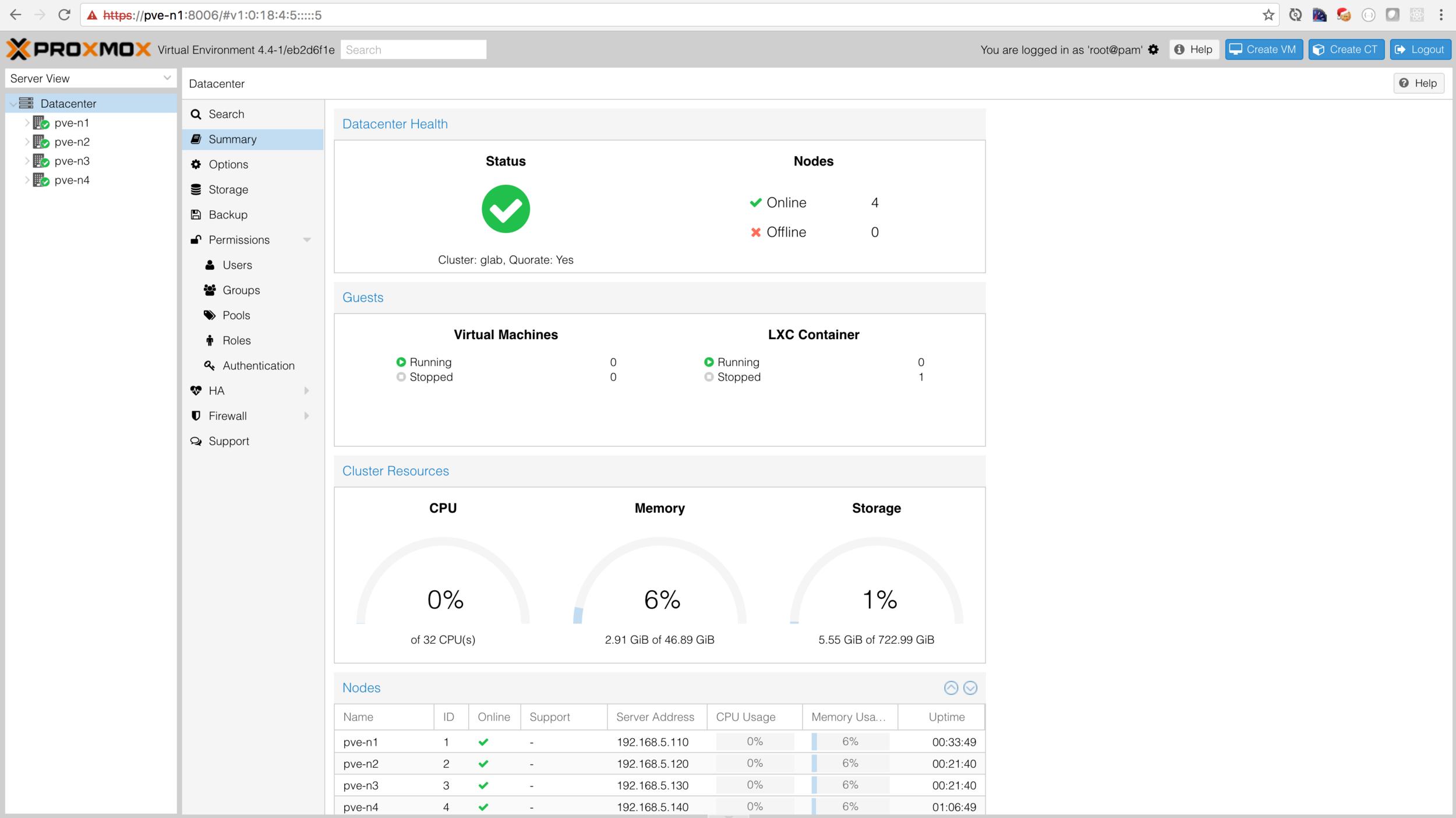
Read MoreIn my last post, Building a Developer Virtualization Lab - Part 1, we set up Promox 3.4 on a single node on a Dell C6100. Since that post one thing has changed, I was able to get the vagrant-proxmox plugin to work with the latest version of Proxmox (as of this this writing, version 4.4). Given that we are now able to use the latest version, the goals for this article are to:
- Install Promox 4.4 on all 4 nodes.
- Configure a Promox cluster.
- Configure users, groups and ACLs appropriate for Vagrant.
- Create a base CentOS 7 template to work with Vagrant.
- Install the vagrant-proxmox plugin and provision a CentOS VM.
- Demonstrate a Vagrantfile debugging technique when using the vagrant-proxmox plugin. This was critical in solving my problem of getting the plugin to work with Proxmox 4.4 and Linux Containers (LXC).
Read MoreRoughly one year ago I deployed my dream home network and thought it would be interesting to expand the network to include a virtualization lab for personal as well as work use. In my consulting capacity, I typically have anywhere between 2 and 4 VMs running on my MacBook Pro using VirtualBox. Even with 16 GB of RAM and a 3.1 GHz i7, my system is typically at capacity. Even with this model, I typically have to stop some VMs so that I can start a different set depending on my active project.
My goal was to free up the system resources on my local machine and shift from running VMs locally to a remote environment. While AWS is great for work (as I do not pick up the bill), it is extremely expensive for personal use. Naturally, this left me to find a low cost hardware solution and run my own virtualization stack.
Read MoreFor those of you that are still following along, let's recap what we've accomplished since the last post, Solr Document Processing with Apache Camel - Part II. We started by deploying SolrCloud with the sample gettingstarted collection and then developed a very simple standalone Camel application to index products from a handful of stub JSON files.
In this post, we will continue to work against the SolrCloud cluster we set up previously. If you haven't done this, refer to the Apache Solr Setup in README.md. We will also start out with a new Maven project available in GitHub called camel-dp-part3. This project will be similar to the last version; but with the following changes:
- We will be using a real data source. Specifically, Best Buy's movie product line.
- We will introduce property placeholders. This will allow us to specify environment-specific configurations within a Java properties file.
Read MoreIn my last post, Solr Document Processing with Apache Camel - Part 1, I made the case for using Apache Camel as a document processing platform. In this article, our objective is to create a simple Apache Camel standalone application for ingesting products into Solr. While this example may seem a bit contrived, it is intended to provide a foundation for future articles in the series.
Our roadmap for today is as follows:
- Set up Solr
- Create a Camel Application
- Index sample products into Solr via Camel
Read MoreWhen I first started working as a search engineer in 2008, I had the pleasure of working with Microsoft FAST ESP. It truly was a full stack enterprise search platform that included among other things, a powerful document processing pipeline engine. The Document Processing engine sits between your data sources and the indexer and is largely responsible for...
Read MoreRecently, I was fortunate to move into a new home that was pre-wired with Cat5 Ethernet. One of the first things I did was open my home's structured wiring closet; however, it looked like the previous owner did not take advantage of the wired network as there was no switch. I took this as a welcomed opportunity to take on a small networking project with the following goals:
- Provide Gigabit connectivity throughout the house,
- Segment the various devices into separate logical networks via VLANs, and
- Attempt to roll my own Gigabit router using pfSense. (I recently heard about pfSense on Security Now, episode #530.)
- Learn a bit VLANs and pfSense.
Read MoreRecently, I was working with a client on a hybris 5.4 implementation and was asked to import their synonyms from their current platform. Easy enough, right? Wrong. The out-of-the-box synonym integration allows business users to define multi-term synonyms on the "from-side” in the hMC; however, at the time of this writing, Sol 4.x does not natively support multi-term synonyms on the from-side of the synonym mapping. For example, if we had a synonym on the from-side (i.e., classic gaming console) mapped to the "to-side" (i.e., nintendo entertainment system), the hMC would silently allow this synonym definition. However, this would have no effect on the Solr-side.
Read MoreCorporate IT organizations are notorious for making enterprise systems nearly unusable through their strict security policies. One such restriction is to prevent both ingress and egress traffic to the public Internet. So, what do you do when your enterprise application needs Internet access. In most cases, firewall requests for such access is strictly prohibited or a lengthy bureaucratic process that puts your project’s timeline at risk. Most corporate IT organizations recognize the need for limited Internet access and deploy internal proxies.
Most modern applications provide the ability to configure a proxy. Well, what happens when it doesn’t work? Either you go through the bureaucratic red tape and then hit the bar every evening until your request goes through, or you consume massive amounts of coffee and trace the piece of code that isn’t honoring the proxy. I opted for the latter when our hybris build refused to honor our proxy settings.
Read MoreHave you ever struggled to find out how to implement a particular feature for Adobe AEM/CQ? Did your attempt to find what you needed on Google or discussion groups fail? In your gut, do you know it's possible to implementation the feature since AEM performs a very similar operation? If you answered yes to any of these questions, some degree for reverse engineering may do the trick.
Read MoreI am happy to announce that AEM Solr Search is finally out in Beta! Visit http://www.aemsolrsearch.com/ and start integrating AEM with Apache Solr. Watch the video for a quick preview on building a rapid front-end search experience, then jump into the Getting Started guide and experiment with the Geometrixx Media Sample application.
Read MoreHave you ever wondered how your AEM publish environment would perform without dispatcher? If so, there's no need to purchase expensive tools--unless you're an enterprise and can afford it. For everyone else, I hope you enjoy the poor man's guide to load testing CQ.
Read More